Odoo 19 introduces a significant architectural evolution in its core framework, moving away from monolithic files to a more modular, package-based ORM structure. This change improves maintainability, code capability, and developer navigation.
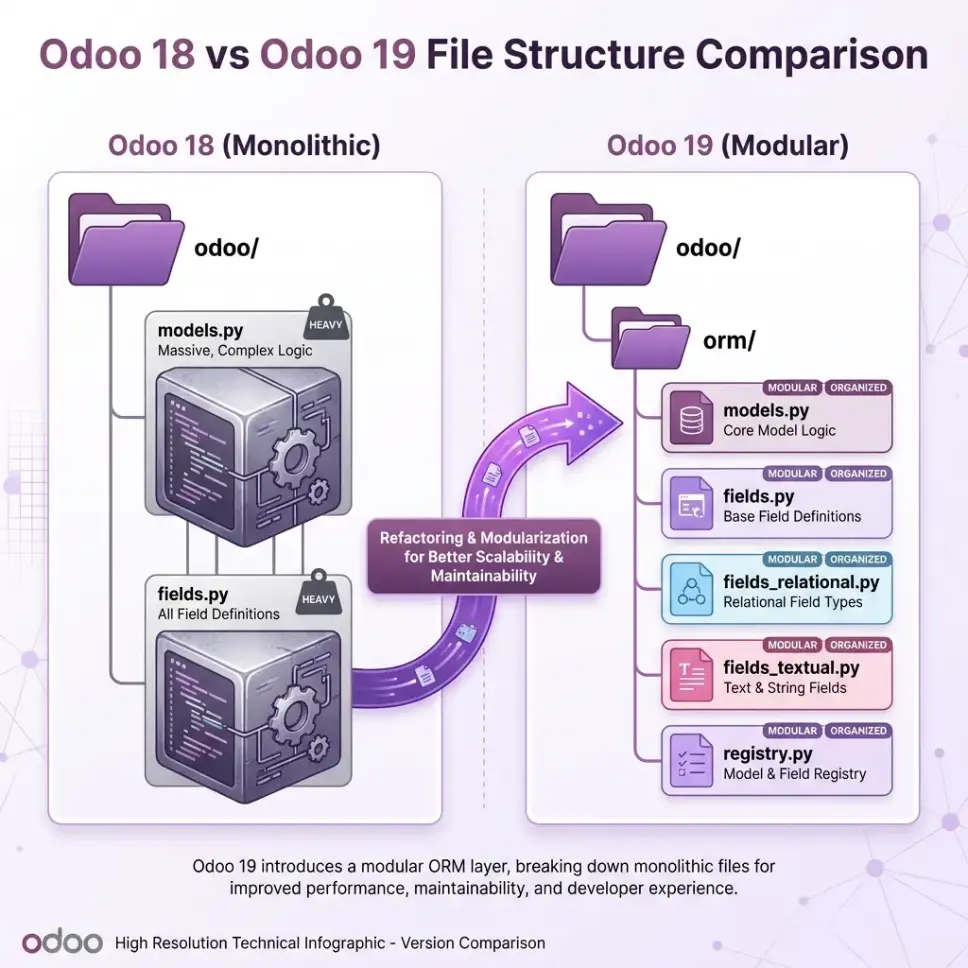
🏗️ The Architectural Shift
🔙 Odoo 18: Monolithic Structure
In Odoo 18 (and previous versions), the core ORM logic was concentrated in a few massive files located directly in the odoo/ root object:
- odoo/models.py: A single, heavy file (~340KB) containing the entire Model logic.
- odoo/fields.py: A large file (~237KB) housing all field types and descriptors.
- odoo/api.py: Handled environments and decorators.
While effective, this structure made these files difficult to navigate and maintain as the framework grew.
🆕 Odoo 19: Modular odoo.orm Package
Odoo 19 refactors these core components into a dedicated odoo/orm package, breaking down monolithic files into specialized modules:
- New Directory: odoo/orm/ now houses the core logic.
- Split Responsibilities:
- odoo/orm/models.py: Focused base model logic.
- odoo/orm/fields.py: Base fields logic.
- Specialized Field Modules: Specific field types are now in their own files:
- fields_relational.py (Many2one, One2many, Many2many)
- fields_textual.py (Char, Text, Html)
- fields_numeric.py (Integer, Float)
- fields_binary.py, fields_temporal.py, etc.
- odoo/orm/domains.py, registry.py, environments.py: Dedicated files for core subsystems.
💡 Why This Matters?
- Better Organization: Developers can find code faster. Looking for how Many2one works? Go straight to odoo/orm/fields_relational.py instead of scrolling through thousands of lines in fields.py.
- Maintainability: Smaller, focused files are easier to test, debug, and review.
- Modernization: Paves the way for stricter typing and cleaner dependencies within the framework.
This refactoring marks a major step towards a more mature and developer-friendly Odoo core! 🌟